

Advanced Cost of Goods

Advance Cost of Goods for WooCommerce

TRACK PRODUCT COSTS, CALCULATE PROFIT MARGINS & MAXIMIZE YOUR STORE'S PROFITABILITY

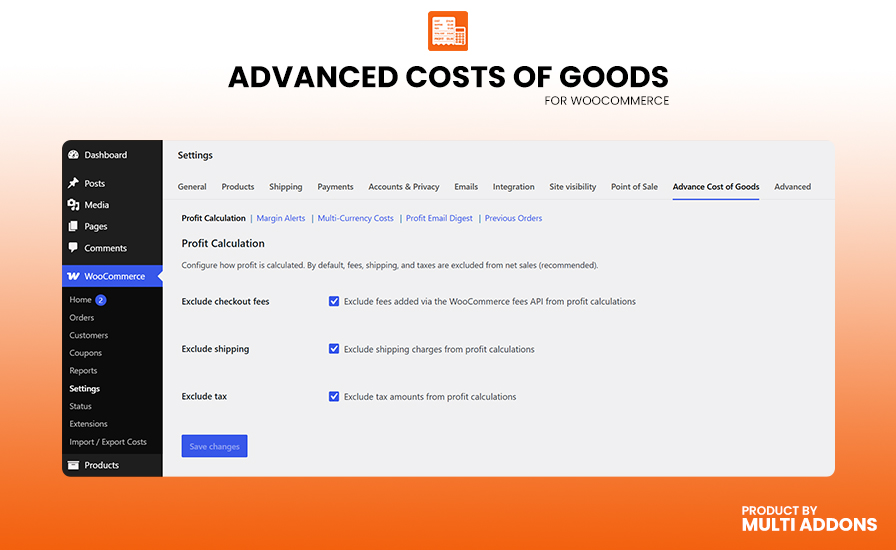
Take complete control of your store’s financial health with comprehensive WooCommerce Cost of Goods (COG) tracking. Advance Cost of Goods for WooCommerce automatically calculates your real profit and margin percentages by permanently snapshotting product costs the moment an order is placed, helping you evaluate your true bottom line with pinpoint accuracy.

Easily manage costs for both simple and variable products, and utilize detailed visual reports to analyze your net profit by date, product, category, or specific supplier. Whether you need to automatically exclude shipping and taxes from your calculations or track global expenses using built-in multi-currency cost conversion, this powerful reporting engine gives you complete visibility into exactly where you are making—or losing—money.

Engineered for top-tier performance on modern stores, Advance Cost of Goods is fully compatible with WooCommerce HPOS and the WooCommerce Blocks Checkout. Stay updated on the go with automated, scheduled profit email digests and CSV exports—giving you a secure, reliable way to manage your store’s profitability without writing a single line of custom code.

Marketplace Verified

Extension Partner

30-Day Money-Back Guarantee
Try Advanced Cost of Goods risk-free. If the plugin isn’t the right fit for your WooCommerce store, you can request a refund within 30 days.

Choose Your WooCommerce Plan

Choose a Advanced Cost of Goods license that fits your business. Get flexible pricing options for a single WooCommerce store, multiple websites, or unlimited sites.

1 Site License

$49/y

7-day Free Trial

Most Popular

3 Sites License

$98$79/y

7-day Free Trial

100 Sites License

$199$99/y

7-day Free Trial

Plugin ScreenShot

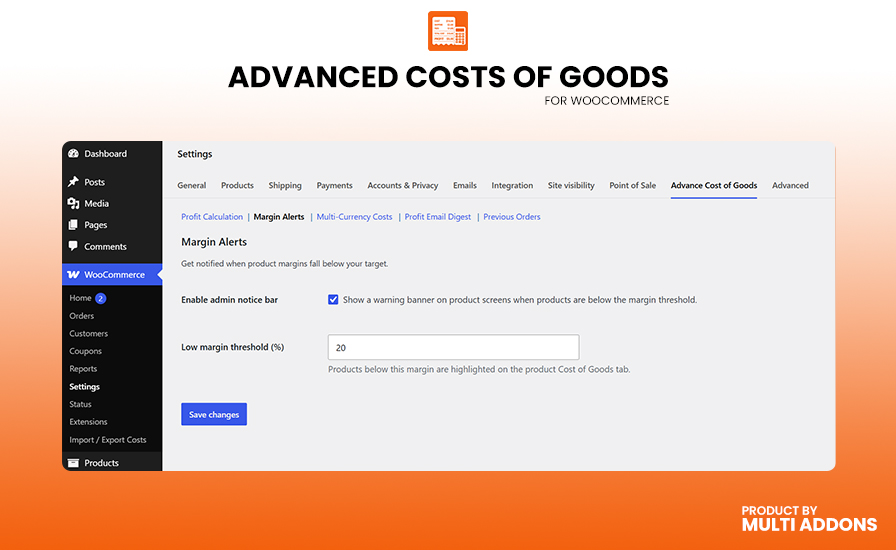
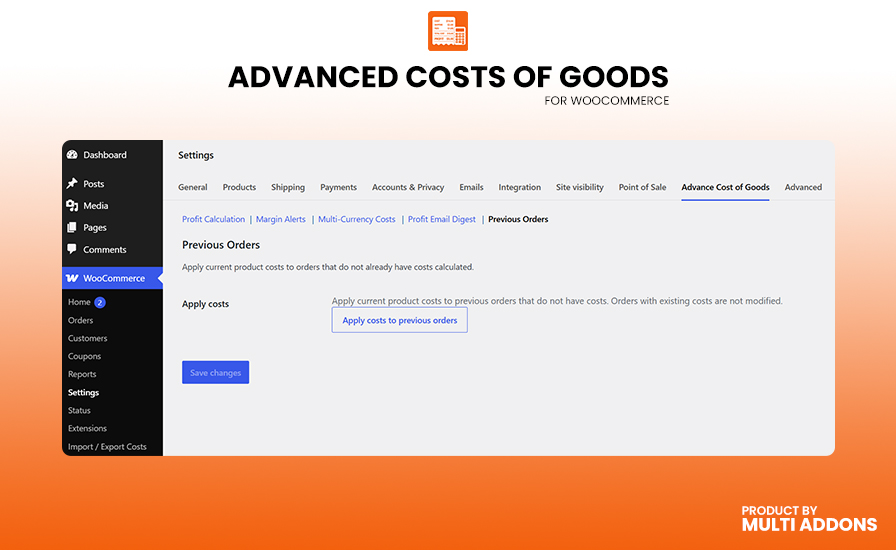
See how Advance Cost of Goods for WooCommerce makes it easy to track product costs, calculate real profit margins, and generate detailed profit reports based on date, product, category, supplier, and other flexible conditions.

Core Features & Capabilities

Product Cost of Goods Tracking

Easily set and manage the cost of goods for every WooCommerce product directly from the product editor. Advance Cost of Goods adds a dedicated “Cost of Goods” tab to both simple and variable products, giving you a clean, intuitive interface to enter your purchase cost. The plugin instantly calculates your live profit amount and margin percentage alongside your selling price.

Product Cost of Goods Tracking

Variable Product & Variation Cost Management

Go beyond simple products with full variation-level cost tracking. Assign individual costs to each product variation, or set a single default cost at the variable product level that automatically applies as a fallback when a specific variation has no cost defined. This makes managing large clothing or accessories catalogues effortless.

Automatic Cost Snapshot on Every Order

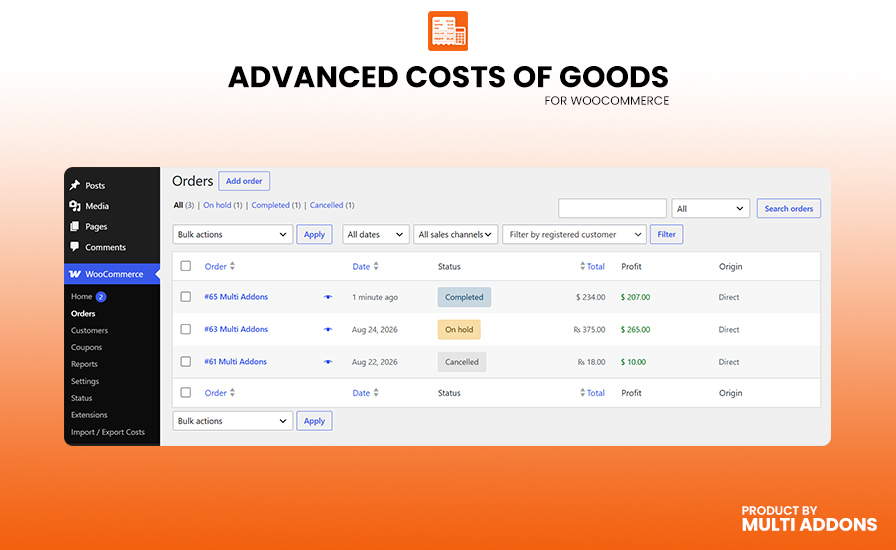
Never lose track of your true profit due to cost changes over time. When a customer places an order, Advance Cost of Goods automatically snapshots the current product cost at that exact moment and permanently saves it to the order line item. Your historical profit data always remains accurate, even if you update product costs later.

Automatic Cost Snapshot on Every Order
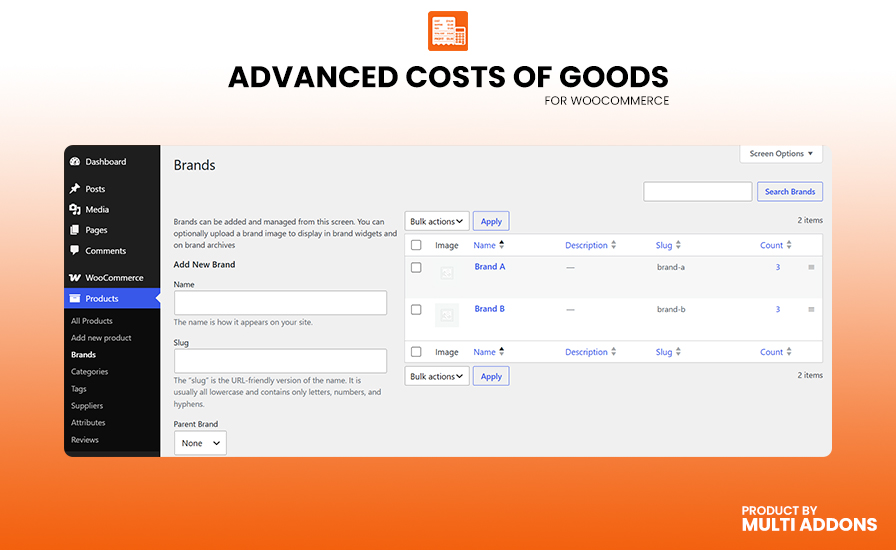
Profit Reports by Date, Product, Category & Supplier

Profit Reports by Date, Product, Category & Supplier

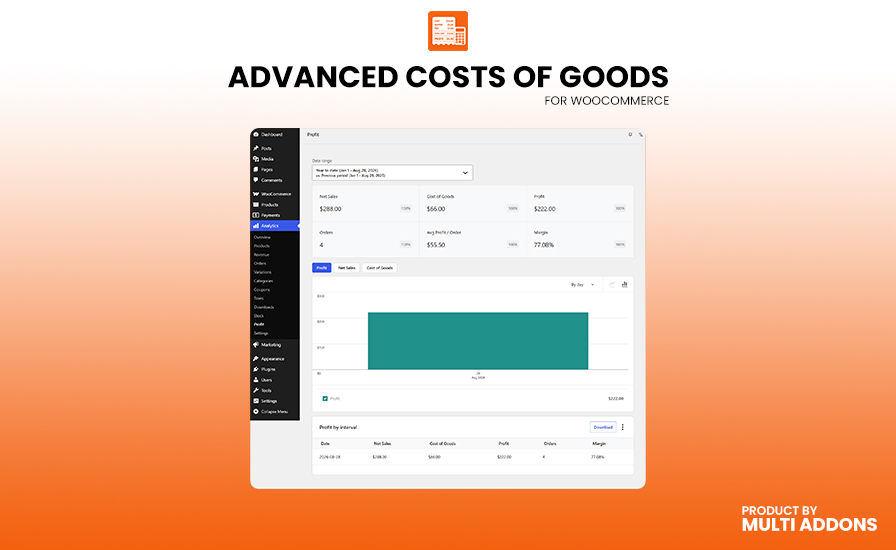
Unlock deep financial insights with powerful WooCommerce profit reporting. Analyze profit performance across any date range, broken down by individual product, product category, or custom supplier. Every report shows net sales, total cost of goods, gross profit, and margin percentage — giving you everything you need to make smarter pricing decisions.

WooCommerce Analytics Dashboard Integration

Your key profit metrics are available right inside the WooCommerce Analytics dashboard. The built-in Profit Overview widget displays total profit, net sales, cost of goods, and average margin for any selected date range — eliminating the need to switch between separate reporting tools to monitor your store’s financial health.

WooCommerce Analytics Dashboard Integration
Multi-Currency Cost of Goods Support

Multi-Currency Cost of Goods Support

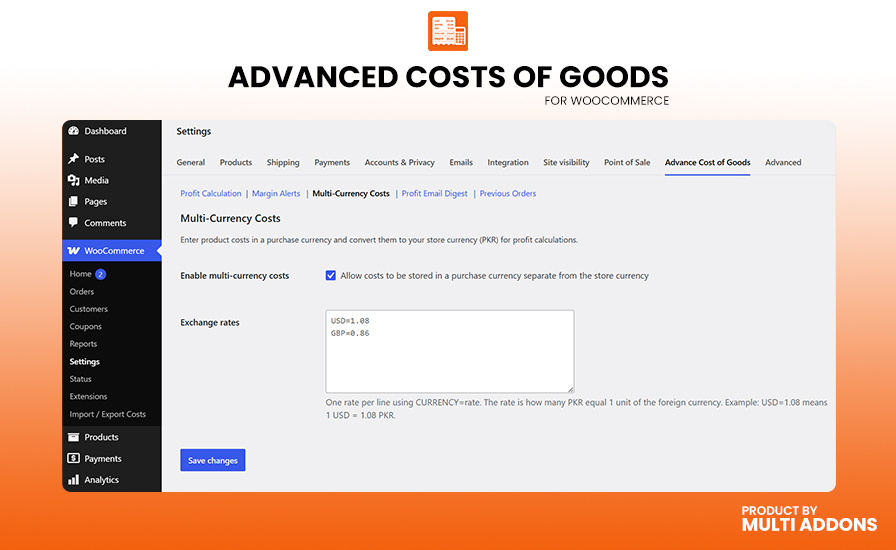
Running a global store? Enter product costs in any purchase currency and the plugin automatically converts them to your WooCommerce store currency using your configured exchange rates. Original purchase amounts and currency codes are safely stored alongside the converted cost, ensuring accurate profit margins for every product regardless of where it was sourced.

CSV Import & Export for Bulk Cost Management

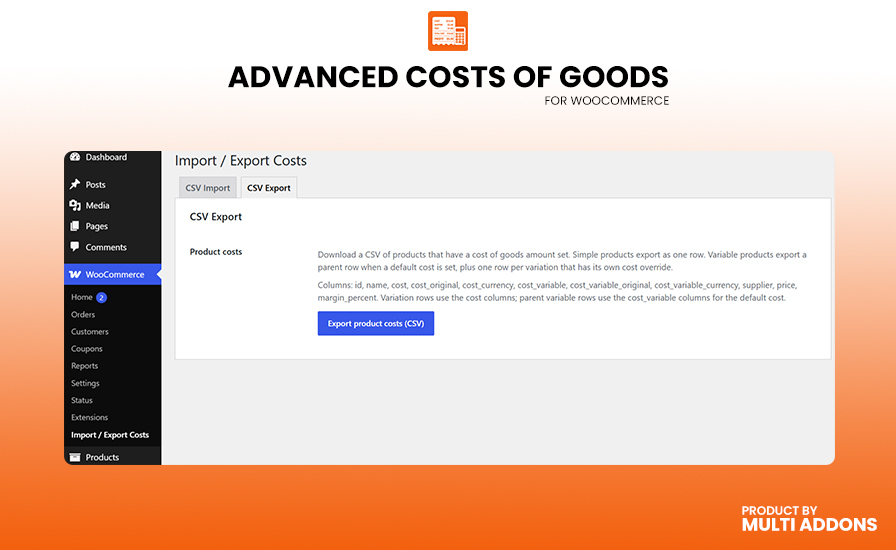
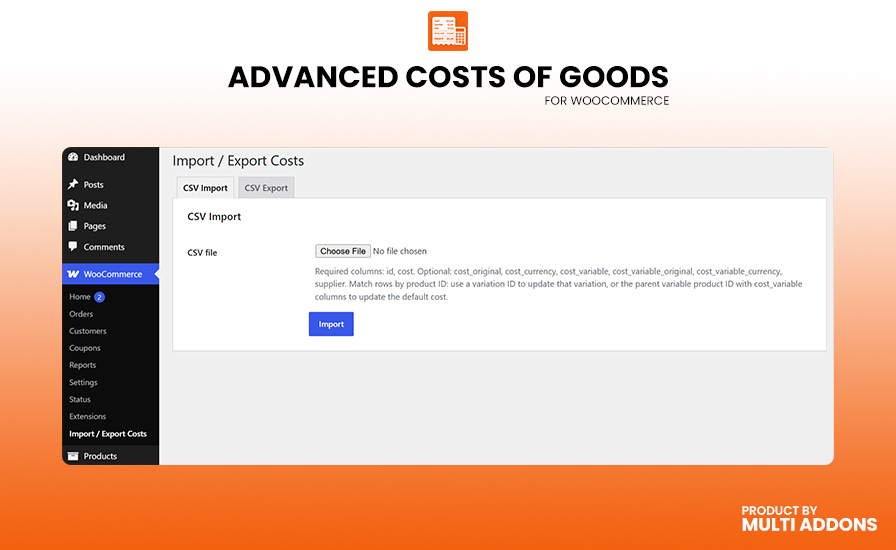
Save hours of manual data entry with the powerful bulk CSV import and export tool. Export all your product costs, original purchase amounts, currencies, and supplier assignments to a spreadsheet in seconds. Update costs in bulk and re-import with a single click — perfect for stores with hundreds or thousands of products.

Scheduled Profit Email Digest & REST API Access

Scheduled Profit Email Digest & REST API Access

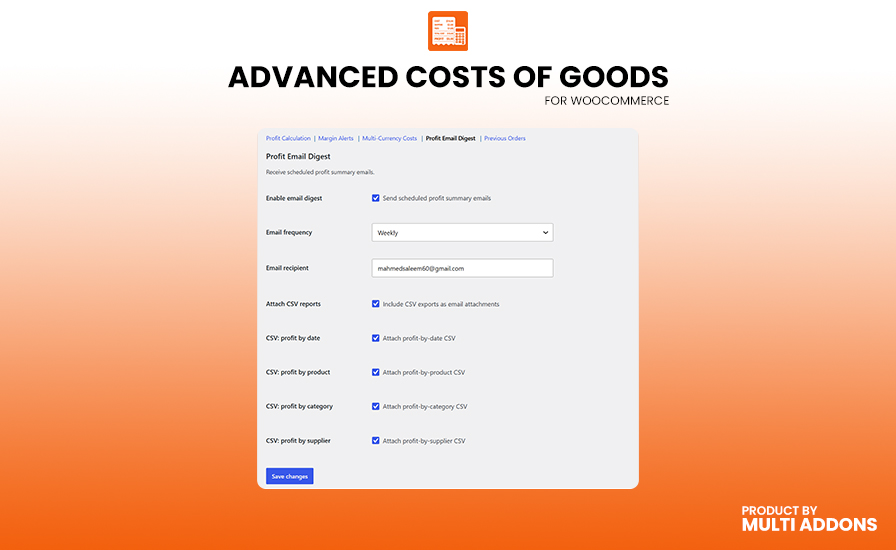
Stay informed even when you’re away from your dashboard with automated profit summary emails. Choose weekly or monthly delivery, select your recipient, and optionally attach detailed CSV reports covering profit by date, product, category, and supplier. Additionally, the full-featured REST API (

acog/v1

) exposes all cost and profit data to external tools and custom integrations.

Why People Love MultiAddons Plugin

Technical Compatibility

Frequently Asked Questions

Can I Track Cost of Goods for Simple and Variable Products in WooCommerce?

Yes. Advance Cost of Goods lets you set a cost for every product type in WooCommerce. For simple products, enter the cost directly on the “Cost of Goods” tab. For variable products, you can assign an individual cost to each variation, or set a single default cost at the parent product level that auto-applies as a fallback when a variation has no specific cost defined.

This gives you complete, flexible cost tracking across your entire WooCommerce product catalogue.

Yes. Advance Cost of Goods automatically snapshots the product cost at the exact moment an order is placed and saves it permanently to the order line item. This means your historical profit data remains 100% accurate even if you later update a product’s cost.

You can also view and manually edit line item costs directly from the WooCommerce order edit screen for complete flexibility.

Yes. Advance Cost of Goods includes a powerful WooCommerce profit reporting engine that lets you analyze your financial performance across multiple dimensions. You can generate detailed profit reports filtered by:

  • Date range (daily, weekly, monthly, yearly)
  • Individual product or product variation
  • Product category
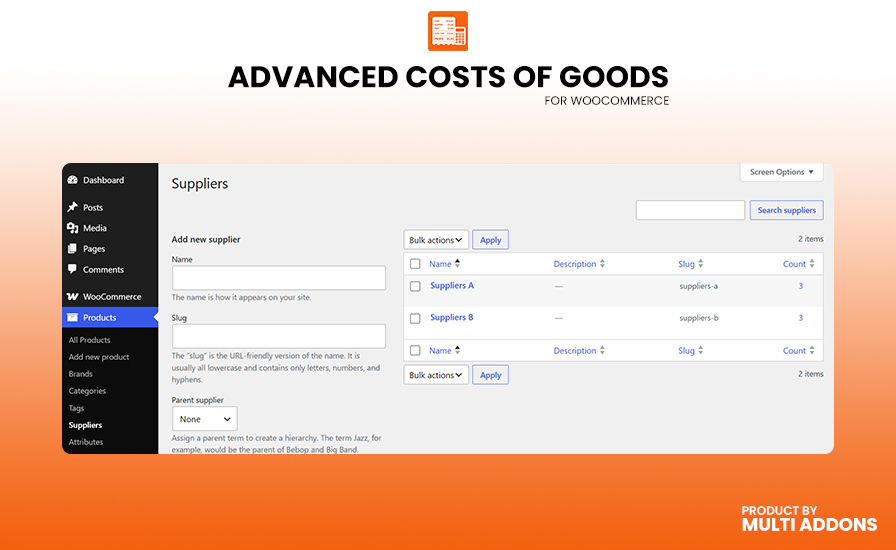
  • Custom supplier (via the built-in supplier taxonomy)

Every report displays net sales, total cost of goods, gross profit, and margin percentage — giving you all the data you need to make smarter pricing and purchasing decisions.

Yes. Advance Cost of Goods is fully compatible with WooCommerce High-Performance Order Storage (HPOS) and the WooCommerce Cart and Checkout Blocks. The plugin is built for modern WooCommerce stores and follows all current WooCommerce compatibility standards.

Key compatibility features:
✅ Compatible with WooCommerce HPOS (High-Performance Order Storage)
✅ Compatible with WooCommerce Cart & Checkout Blocks
✅ Supports WooCommerce REST API integration
✅ Works with WooCommerce Analytics
✅ Compatible with multi-currency plugins via exchange rate configuration
✅ Tested with the latest WooCommerce and WordPress releases

Yes. Advance Cost of Goods includes a dedicated CSV Import & Export tool under WooCommerce → Import / Export Costs. You can export all product costs, original purchase currencies, exchange rates, and supplier data to a spreadsheet in one click.

After updating the spreadsheet, simply re-import it to apply the new costs in bulk — saving hours of manual editing for stores with large catalogues. The importer also supports assigning suppliers by name or slug during the import process.