
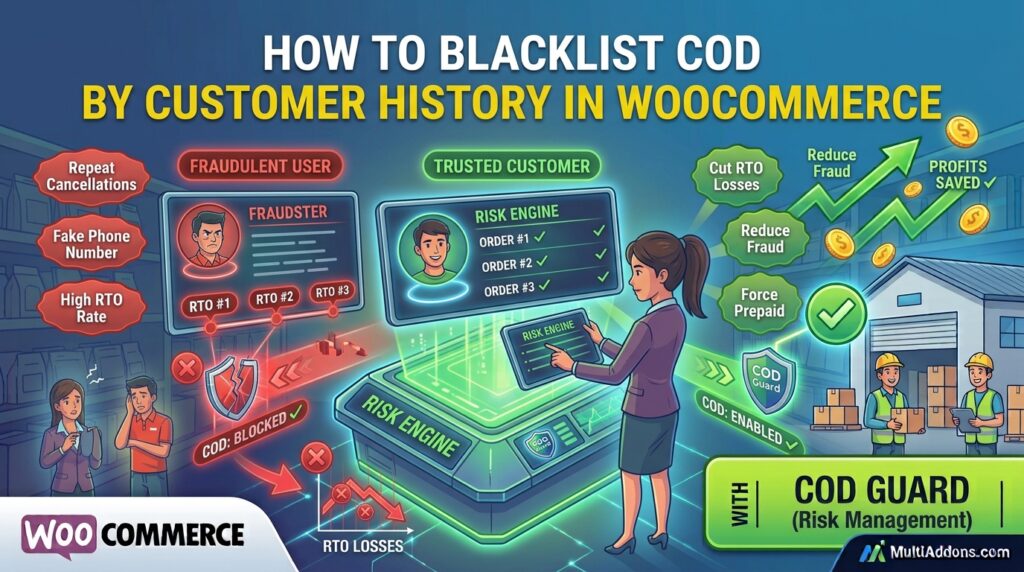
Allowing serial returners to continually place Cash on Delivery orders drains your shipping budget rapidly. However, many e-commerce merchants continue offering cash payment options to buyers with a track record of rejecting deliveries.
For example, shipping repeated cash orders to a customer who has already rejected three past deliveries guarantees wasted courier fees.
Consequently, learning how to use WooCommerce COD blacklisting by customer history is essential for protecting your bottom line.
Therefore, restricting cash checkouts for high-risk accounts automatically stops return losses and forces problematic buyers to use prepaid methods.
In this guide, you will learn how historical customer data prevents order fraud. Furthermore, discover how to blacklist and restrict Cash on Delivery based on user history using COD Guard.
Why Blacklisting COD by Customer History Prevents Profit Loss
Treating first-time buyers and repeat order rejecters identically creates an easy loophole for fraudulent checkouts. In contrast, evaluating past order fulfillment metrics automatically restricts cash privileges for unreliable buyers.
In fact, implementing history-based Cash on Delivery restrictions offers three vital business protections:
- Eliminate Repeat RTO Costs: First, automatically disable cash options for buyers who failed to accept previous orders.
- Filter Fake Accounts & Phone Numbers: Second, flag customer profiles with high order cancellation rates before packages leave the warehouse.
- Incentivize Responsible Shopping: Finally, motivate flagged users to pay upfront via credit card or digital wallets if they wish to complete a purchase.
How COD Guard Enforces Customer History & Blacklist Rules
Tracking individual customer cancellation rates manually in spreadsheets takes countless hours and misses real-time checkouts. Fortunately, COD Guard for WooCommerce automates blacklist logic directly within your store database.
Key Risk & Blacklist Features in COD Guard:
- Failed Delivery Thresholds: First, set automated triggers that hide COD after a user reaches a specific number of failed or cancelled orders.
- Email & Phone Number Blacklisting: Second, block cash payments for specific email addresses, phone numbers, or IP ranges instantly.
- Order Success Rate Filtering: Third, require customers to maintain a minimum order completion percentage (e.g., 80% successful deliveries) to unlock COD.
- Guest Checkout Fraud Controls: In addition, cross-reference guest billing details with historical return data to prevent anonymous fraud.
- Custom Restricted Messages: Finally, show polite checkout notifications encouraging flagged buyers to select online payment alternatives.
3 Simple Steps to Set Up Customer Blacklisting Today
- Identify Your Return Benchmarks: First, determine your acceptable threshold for past order cancellations (e.g., 2 consecutive failed deliveries).
- Configure COD Guard Blacklist Rules: Next, enter maximum failed order limits and blacklisted phone numbers or emails in the plugin dashboard.
- Monitor Risk Logs: Finally, review automated checkout blocks inside COD Guard to track saved shipping costs in real time.
Stop Repeat Fraud and Protect Your Bottom Line Today
Stop paying return shipping fees for customers who never intend to accept their cash deliveries. Instead, lock down your cash checkout options using intelligence-driven risk rules with COD Guard today.
Additionally, you can protect specific high-risk inventory items across your catalog. For example, read our complete guide on how to restrict COD by product in WooCommerce to block cash checkouts on fragile, expensive, or custom goods.