
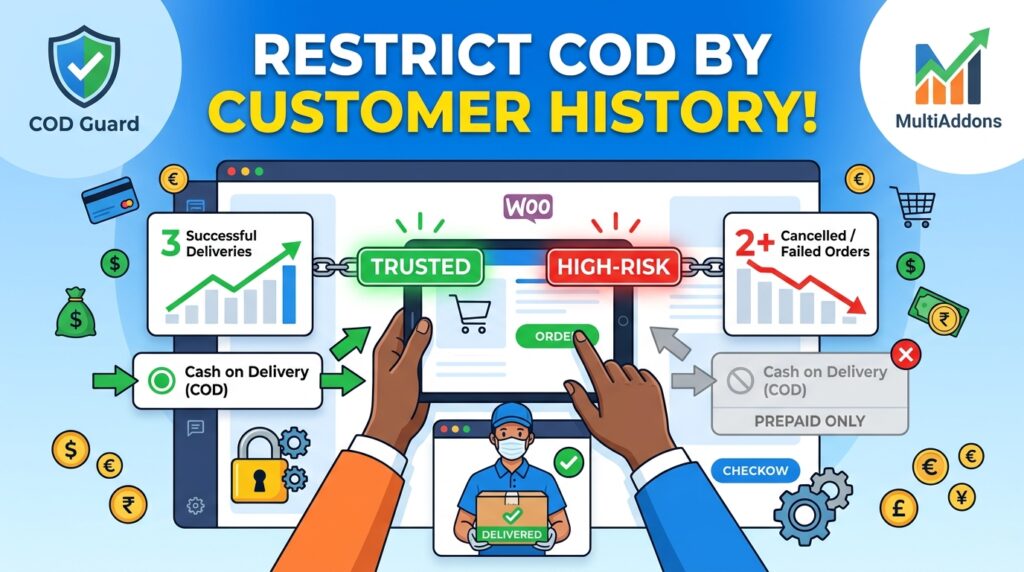
Offering Cash on Delivery (COD) is a highly effective tactic for converting new, hesitant online shoppers into paying customers across global markets. However, offering unrestricted cash checkout privileges to repeat offenders who repeatedly cancel orders upon arrival destroys profit margins.
For example, fulfilling cash orders for accounts with a proven history of non-delivery or delivery refusals forces your store to absorb unrecoverable shipping and return logistics fees (RTO).
Consequently, learning how to restrict COD by customer order history in WooCommerce allows you to dynamically restrict cash payment options for high-risk buyers while requiring upfront online payment.
Therefore, enforcing history-based payment rules safeguards your delivery capital and rewards reliable, loyal customers with seamless cash checkout options.
In this guide, you will learn how order history screening protects global store margins. Furthermore, discover how to configure buyer-level payment controls using COD Guard for WooCommerce.
Why Order History COD Restrictions Are Critical Worldwide
Not all registered customers or guest accounts share the same buying commitment. In contrast to first-time buyers or reliable repeat buyers, serial cancellers utilize Cash on Delivery as a risk-free reserve option, resulting in inflated return rates.
In fact, screening Cash on Delivery availability through past order records provides three key operational advantages:
- Eliminate Repeat RTO & Logistics Losses: First, automatically block cash checkout privileges for accounts that have previously failed to accept cash shipments.
- Reward Trusted Repeat Buyers: Second, keep cash checkout unlocked for verified customers with a history of successful order completions.
- Incentivize Prepaid Conversion: Third, compel high-risk buyers to complete checkout using digital credit cards, debit cards, or electronic wallets.
Strategic Buyer History Restrictions for WooCommerce
To protect your delivery network without penalizing genuine customers, deploy three core order history rules:
1. Failed Order Count Thresholds
Automatically disable cash checkout options for any account or email address that accumulates a specific number of cancelled, failed, or returned orders (e.g., 2+ failed cash deliveries).
2. First-Time vs. Returning Customer Logic
Require first-time customers to pay online for their initial purchase, unlocking Cash on Delivery only after their first order is successfully delivered and completed.
3. Account Age & Order Volume Verification
Gate Cash on Delivery behind minimum completed order totals (e.g., customer must have at least 1 successfully completed prepaid order before cash checkout is enabled).
How COD Guard Automates Order History Controls Globally
Tracking individual customer order success rates and conditionally modifying payment gateways in standard WooCommerce requires complex custom code or expensive custom database queries. Fortunately, COD Guard for WooCommerce centralizes buyer risk management into an intuitive dashboard.
Key Order History Features in COD Guard For WooCommerce:
- Automated Failure Tracking: First, automatically record cancelled or returned cash orders per customer email or phone number.
- Custom Customer Blacklists & Whitelists: Second, manually or automatically add high-risk buyers to a restricted list while whitelisting VIP accounts.
- Guest Email & Phone Matching: Third, cross-reference guest checkout phone numbers and email addresses against historic order records to stop repeat abuse.
- Custom Checkout Notice Banners: In addition, display clear, courteous messages informing restricted users that online payment is required for their account.
- Multi-Condition Layering: Finally, combine customer order history rules with order weight, cart subtotals, or postal code restrictions into unified risk workflows.
3 Simple Steps to Restrict COD by Order History Today
- Review Historic Cancellation Logs: First, examine your order management system to determine the threshold of failed orders that signals a high-risk buyer.
- Configure History Rules in COD Guard: Next, establish your failed order limit and blacklist triggers in the plugin panel.
- Verify Gateway Behavior at Checkout: Finally, test checkouts using restricted test accounts to confirm cash gateways disable smoothly.
Secure Your E-Commerce Margins Today
Stop allowing serial cancellers to lock up fast-moving stock and drain your logistics budgets. Instead, restrict payment gateways based on customer reliability and protect your business profits worldwide with COD Guard today.
Additionally, you can protect your shipping pipeline against heavy freight losses. For example, read our complete guide on how to restrict COD by order weight in WooCommerce to block cash options on heavy or oversized items.