
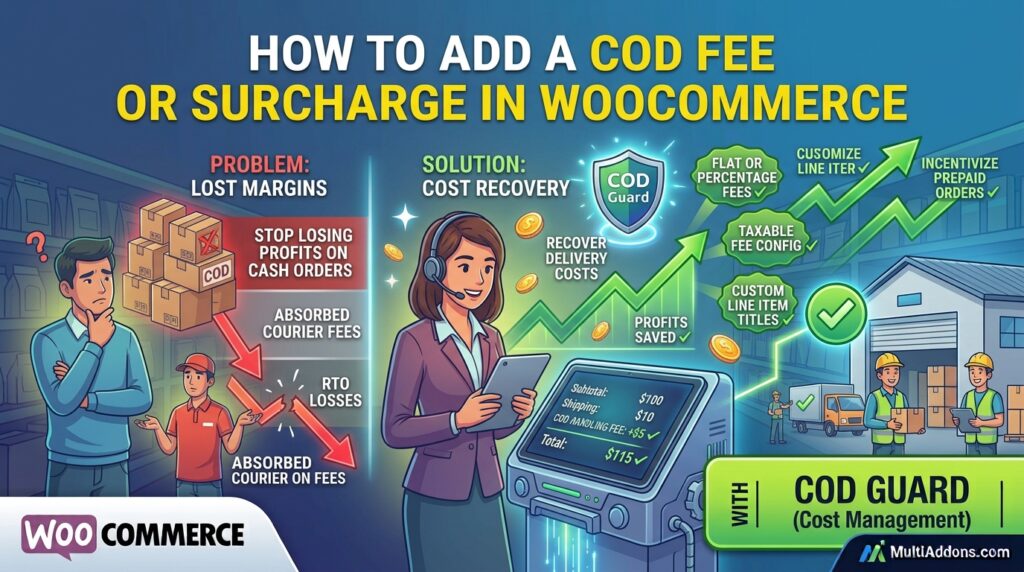
Absorbing courier cash handling charges on every Cash on Delivery purchase drains net margins. However, many store managers offer free cash collection without realizing how quickly courier fees accumulate.
For example, paying extra courier fees for processing cash collections cuts into your profit margin on every delivery.
Consequently, learning how to add a COD fee or surcharge in WooCommerce allows you to shift these overhead costs to the buyer.
Therefore, applying custom cash handling fees recovers shipping expense losses and encourages customers to switch to prepaid cards.
In this guide, you will learn how surcharge rules protect store revenue. Furthermore, discover how to add extra fees for COD in WooCommerce using COD Guard.
Why Adding a COD Extra Fee Protects Store Profitability
Offering unconditional free cash on delivery encourages non-serious orders while increasing shipping expenses. In contrast, attaching a transparent extra fee offsets courier charges and reduces casual order placement.
In fact, implementing Cash on Delivery extra fee rules yields three key commercial benefits:
- Recover Courier Handling Costs: First, automatically cover cash collection and insurance surcharges levied by logistics partners.
- Incentivize Prepaid Gateways: Second, make credit card or digital wallet checkouts look more attractive by removing extra fees.
- Filter Non-Serious Buyers: Finally, ensure buyers are committed to paying before your warehouse picks and packs the package.
How COD Guard Calculates and Applies COD Fees
Adding payment gateway fees manually requires altering template files or using complex snippet plugins. Fortunately, COD Guard for WooCommerce automatically applies dynamic surcharges right in the cart and checkout breakdown.
Key Fee Calculation Features in COD Guard:
- Flat-Rate or Percentage Fees: First, charge a fixed extra fee (e.g., $5 extra for cash) or a percentage of the cart total.
- Subtotal-Based Fee Scaling: Second, adjust fee amounts dynamically based on total order size to maintain fair pricing.
- Custom Checkout Line Item Titles: Third, display clear fee labels (e.g., “Cash Handling Fee”) on invoice breakdowns to avoid confusion.
- Taxable Fee Configuration: In addition, choose whether tax rules apply to payment surcharges based on local tax regulations.
- Automatic Gateway Hiding: Finally, remove the COD gateway option entirely if the fee exceeds user tolerance rules.
3 Simple Steps to Add COD Surcharges Today
- Calculate Courier Surcharge Rates: First, identify exact cash collection fees charged by your primary logistics providers.
- Configure COD Guard Surcharge Rules: Next, enter your fixed or percentage fee values inside the plugin settings tab.
- Display Transparent Cart Notices: Finally, add custom messaging at checkout explaining the extra cost of cash processing.
Recover Handling Costs and Boost Prepaid Orders Today
Stop letting courier cash fees swallow your hard-earned ecommerce profits. Instead, recover delivery expenses seamlessly with COD Guard today.
Additionally, you can restrict gateway access further down your fulfillment pipeline. For example, read our complete guide on how to restrict COD by order status in WooCommerce to control payment availability across every stage of customer verification.