
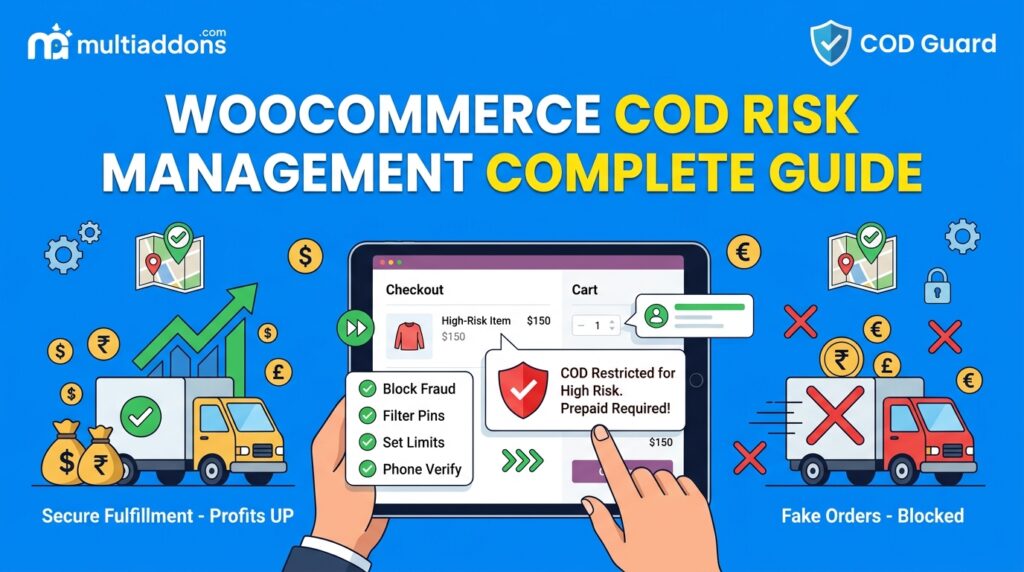
Offering Cash on Delivery (COD) helps e-commerce brands expand into emerging markets and convert trust-conscious buyers globally. However, offering unrestricted cash payment options exposes your fulfillment network to fake addresses, impulsive order cancellations, and heavy return shipping costs.
For example, shipping cash orders to unverified phone numbers or high-risk buyers frequently results in delivery refusal rates exceeding 20%, which destroys net operating margins.
Consequently, establishing a complete WooCommerce COD risk management strategy allows you to filter out bad actors before orders enter your packing pipeline.
Therefore, enforcing intelligent risk rules protects your fulfillment budget and keeps cash checkout active for genuine, high-intent customers.
In this guide, you will learn how proactive cash checkout controls safeguard global store operations. Furthermore, discover how to configure multi-layered security conditions using COD Guard.
Why Cash on Delivery Risk Management Is Critical for E-Commerce
Treating every cash buyer as equally reliable creates unnecessary inventory lockups and inflated courier fees. In contrast, dynamically screening orders based on risk factors ensures your shipping capital goes exclusively toward fulfilled sales.
In fact, implementing systematic Cash on Delivery risk controls delivers three major commercial advantages:
- Eliminate Unnecessary Return Shipping Losses: First, block cash checkout for accounts with a history of failed or refused deliveries.
- Protect Fast-Moving Inventory: Second, prevent stock lockups on high-demand items by restricting cash options on sensitive or expensive categories.
- Maintain High Courier Reliability Scores: Third, lower your overall delivery failure rates to unlock better shipping rates with global logistics carriers.
Strategic Risk Management Controls for WooCommerce Checkouts
To protect your delivery pipeline without adding friction for legitimate buyers, implement four core screening layers:
1. Order History & Customer Blacklists
Automatically restrict cash payment options for buyers who have previously cancelled cash orders or provided inaccurate shipping details.
2. Subtotal & Value Safety Caps
Set maximum cash order limits so high-ticket purchases require prepaid credit card or wallet payment.
3. Verification & Phone Validation
Require One-Time Password (OTP) verification on cash checkouts to confirm the customer’s phone number is live and reachable.
4. Regional & Postal Code Whitelisting
Disable cash checkouts in remote or non-serviceable delivery zones while keeping prepaid options fully available.
How COD Guard Automates Checkout Risk Control Globally
Configuring complex conditional payment rules in native WooCommerce requires custom snippet management or heavy server scripts. Fortunately, COD Guard for WooCommerce centralizes checkout risk management into a clean visual dashboard.
Key Risk Features in COD Guard For WooCommerce:
- Automated Customer Risk Screening: First, track buyer order history and automatically disable cash payment options for serial cancellers.
- Granular Subtotal & Weight Rules: Second, set strict minimum and maximum cart subtotal boundaries for cash checkouts.
- Category & SKU Restrictions: Third, require digital prepaid payment on custom, fragile, or high-value product lines.
- Custom Regional Checkout Messaging: In addition, inform shoppers why cash payment is unavailable and guide them toward instant prepaid options.
- Multi-Condition Layering: Finally, combine customer location, product categories, and cart subtotal conditions into unified security workflows.
3 Simple Steps to Secure Your Cash Checkouts Today
- Audit Historic Return Logs: First, review your delivery reports to identify common causes of non-delivery (e.g., bad numbers, high-ticket cancellations).
- Configure COD Guard Security Rules: Next, establish subtotal caps, phone verification prompts, or customer blacklists in the plugin dashboard.
- Verify Checkout Gateway Triggers: Finally, test checkouts under various risk scenarios to confirm payment gateways adjust as expected.
Protect Your Delivery Margins Today
Stop letting unverified cash orders swallow your logistics profits and lock up valuable stock. Instead, take control of your store checkouts and safeguard profit margins worldwide with COD Guard today.
Additionally, you can boost your overall store revenue by encouraging higher order subtotals. For example, read our complete guide on how to set up spend threshold discounts on cart in WooCommerce to increase Average Order Value (AOV) dynamically.