
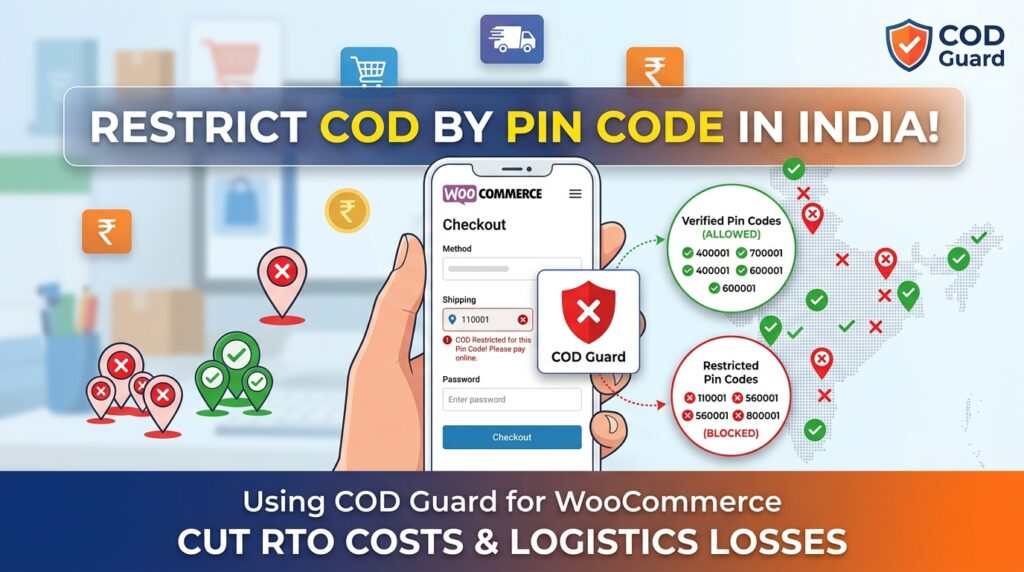
Cash on Delivery is a vital growth engine for Indian e-commerce businesses. However, offering cash payment options to non-serviceable or high-risk 6-digit Indian postal pin codes often results in high Return to Origin (RTO) rates and lost logistics expenses.
For example, shipping cash orders to regions with frequent courier non-deliveries or high customer refusal rates turns profitable sales into net losses.
Consequently, learning how to restrict COD by pin code in India for WooCommerce enables store owners to whitelist reliable delivery locations while automatically blocking or restricting cash checkouts in risky postal zones.
Therefore, enforcing pin code-level payment gateway rules protects operating margins and encourages customers in restricted zones to complete purchases using prepaid UPI methods.
In this guide, you will learn how location-based payment rules safeguard Indian fulfillment networks. Furthermore, discover how to configure 6-digit pin code blacklists and whitelists using COD Guard.
Why Pin Code Restrictions Are Critical for Indian E-Commerce Stores
courier partners like Shiprocket, Delhivery, or Blue Dart maintain specific serviceability ratings across India’s 19,000+ postal codes. In contrast to prepaid orders—where shipping is already paid—unserviced or remote cash orders frequently fail at the final delivery leg.
In fact, implementing Indian postal pin code Cash on Delivery restrictions offers three key business advantages:
- Drastically Reduce RTO Shipping Costs: First, block cash orders in pin codes known for high non-delivery, fake addresses, or courier accessibility issues.
- Streamline Courier Serviceability: Second, align checkout payment choices directly with your logistics partners’ active COD coverage maps.
- Prompt Prepaid Checkout Alternatives: Third, automatically direct customers in restricted pin codes toward seamless UPI payments (Google Pay, PhonePe, Paytm) or debit/credit cards.
How COD Guard Simplifies Pin Code Rules for Indian Stores
Managing complex postal code logic natively in WooCommerce typically requires complex custom code or heavy database tables. Fortunately, COD Guard for WooCommerce lets you upload and manage Indian 6-digit pin codes using flexible allowlists and blocklists.
Key Location Features in COD Guard:
- Pin Code Whitelisting & Blacklisting: First, restrict cash checkouts to a specific list of verified Indian pin codes or block specific high-risk postal codes.
- Bulk CSV Import: Second, quickly upload spreadsheets containing thousands of Indian 6-digit pin codes exported directly from logistics dashboards like Delhivery or Shiprocket.
- Instant Postal Code Checker Widget: Third, display a fast pin code checker on single product pages or checkout screens so buyers instantly know cash serviceability.
- Combine with Cart Subtotal Rules: In addition, layer location restrictions with maximum rupee cart thresholds for enhanced risk management.
- Custom Regional Error Messaging: Finally, display helpful notices guiding shoppers in non-COD postal codes to switch to instant prepaid checkout.
3 Simple Steps to Set Up Pin Code Restrictions Today
- Export High-Risk Pin Codes: First, download your non-serviceable or high-RTO postal code reports from your logistics partner dashboard.
- Configure COD Guard Pin Code Rules: Next, paste or upload the 6-digit pin codes into the plugin settings and set the rule to restrict Cash on Delivery.
- Verify Location Checkout Behavior: Finally, test checkouts using both serviceable and restricted Indian pin codes to ensure payment options update correctly.
Protect Your Indian Shipping Margins Today
Stop losing money on non-deliverable cash orders and unserviced postal routes. Instead, take control of your delivery network and lower RTO costs in India with COD Guard today.
Additionally, you can protect your store against high-ticket cash losses. For example, read our detailed guide on how to restrict COD by cart total in India for WooCommerce to set maximum order value limits on cash checkouts.