
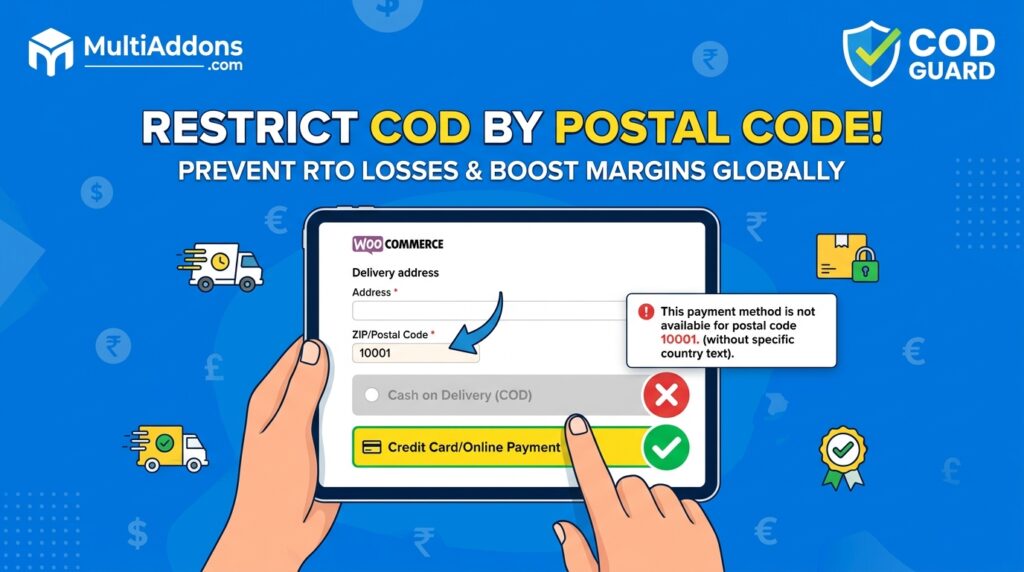
Offering Cash on Delivery (COD) is a proven strategy for expanding into international markets and building instant trust with buyers. However, offering cash payment options in remote, hard-to-reach, or high-risk postal zones leads to expensive shipping failures.
For example, attempting cash deliveries in areas with low courier coverage or high refusal rates severely hurts operating profits due to return shipping fees (RTO).
Consequently, learning how to restrict COD by postal code in WooCommerce allows you to automatically block cash options in specific ZIP codes while requiring secure prepaid online payment instead.
Therefore, restricting cash checkouts by delivery zone safeguards your logistics margins and keeps cash payment active where delivery success is guaranteed.
In this guide, you will learn how postal code restrictions protect fulfillment operations globally. Furthermore, discover how to automate location-based payment rules using COD Guard for WooCommerce.
Why Restricting COD by Postal Code Is Critical Worldwide
Not all delivery zones offer equal shipping reliability. In contrast to prepaid orders where delivery costs are secured upfront, unverified cash orders in high-risk postal codes frequently result in non-delivery, address errors, and customer rejections.
In fact, enforcing postal code and ZIP code restrictions delivers three major operational advantages:
- Eliminate Expensive Return Logistics (RTO): First, disable cash checkout in regions where couriers report high non-delivery rates.
- Avoid Shipping to Non-Serviceable COD Zones: Second, automatically restrict cash payment in remote regions where logistics partners do not support cash collection.
- Convert High-Risk Traffic to Prepaid Orders: Third, prompt buyers in restricted postal codes to complete checkouts using digital credit cards, debit cards, or e-wallets.
Strategic Postal Code Restriction Scenarios
To maintain maximum flexibility across global markets, you can apply three distinct postal restriction rules:
1. Blacklisting High-Risk ZIP/Postal Codes
Explicitly block cash payment options for a custom list of postal codes known for high cancellation or refusal rates.
2. Whitelisting Approved Delivery Zones
Allow Cash on Delivery exclusively in pre-approved metro or high-density postal codes, restricting all other locations to prepaid checkout.
3. Wildcard Range Restrictions
Block or allow whole postal regions using wildcard pattern matching (e.g., restricting 902* or SW1A*) without typing thousands of individual codes.
How COD Guard Automates Postal Code Rules Globally
Configuring conditional payment rules by postal code in default WooCommerce requires complex custom PHP snippets or heavy third-party plugins. Fortunately, COD Guard for WooCommerce handles location-based checkout rules through a clean visual interface.
Key Postal Code Features in COD Guard For WooCommerce:
- CSV Bulk Postal Code Import: First, upload thousands of restricted or allowed postal codes instantly via standard CSV files.
- Wildcard & Range Matching: Second, restrict postal code ranges effortlessly using simple wildcard characters.
- Country & State Layering: Third, target specific postal codes within individual countries or states without affecting global checkout settings.
- Custom Checkout Notifications: In addition, display clear, localized messages informing shoppers why cash payment is unavailable for their postal code.
- Multi-Condition Rule Layering: Finally, combine postal code restrictions with cart subtotals, product categories, or order history triggers.
3 Simple Steps to Set Up Postal Code Restrictions Today
- Compile High-Risk Postal Code Data: First, review your courier failure reports to identify postal codes with high return rates.
- Configure Location Rules in COD Guard: Next, enter or upload your target postal code lists into the plugin setting panel.
- Verify Checkout Gateway Behavior: Finally, test checkouts using various shipping address ZIP codes to ensure payment gateways update dynamically.
Secure Your Shipping Margins Today
Stop letting failed cash deliveries in non-serviced or high-risk delivery zones drain your operational budgets. Instead, control payment gateway availability by location and secure your margins worldwide with COD Guard today.
Additionally, you can protect your entire checkout pipeline from fraudulent behavior. For example, read our complete guide on WooCommerce COD risk management to learn how to screen buyers using order history, phone verification, and cart value limits.