

Quantity Break & Discounts

Quantity Break & Discounts For WooCommerce

INCREASE YOUR AVERAGE ORDER VALUE WITH POWERFUL TIERED PRICING & BULK QUANTITY DISCOUNTS

Take complete control over your WooCommerce pricing strategy and motivate customers to buy more with smart, quantity-based discounts. **Quantity Break & Discounts for WooCommerce** is a premium tiered pricing plugin that lets you create unlimited discount tiers per product, display them as beautiful, clickable pricing blocks on your product page, and automatically apply the correct price in the cart — all without writing a single line of code. Whether you sell physical goods, digital downloads, or wholesale products, this plugin helps you boost your Average Order Value (AOV), reduce abandoned carts, and drive higher revenue from every customer.

Easily set up your entire bulk pricing strategy from a dedicated admin panel. Define quantity tiers with custom labels, descriptions, and eye-catching promotional badges (star, circle, or rectangle styles) for each product. Offer a clean Min/Max quantity selector as an alternative to standard quantity inputs, or combine both approaches on different products across your catalog. With full support for WooCommerce **Variable Products**, customers can choose different attribute combinations (size, color, etc.) for each unit in their bundle — a powerful feature that typical quantity discount plugins simply don’t offer. You can also optionally disable the default quantity field on the cart and checkout pages to keep your pricing tiers locked in.

Engineered for top-tier performance on modern WooCommerce stores, Quantity Break & Discounts is fully compatible with **WooCommerce High-Performance Order Storage (HPOS)** and supports all standard WooCommerce-compatible themes. The built-in **Earnings Dashboard** lets you track total sales, quantities sold, and revenue generated per product — filtered by order status and date range — so you can measure exactly how your tiered pricing strategy is performing. Every design element is fully customizable: adjust border styles, corner radius, active/inactive/hover colors, radio button sizing, badge colors, and typography (font size & weight for labels, descriptions, prices, and strikethrough old prices) to match your brand perfectly.


Marketplace Verified

Extension Partner

30-Day Money-Back Guarantee

Try Quantity Break & Discounts risk-free. If the plugin isn’t the right fit for your WooCommerce store, you can request a refund within 30 days.

Choose Your WooCommerce Plan

Choose a Quantity Break & Discounts license that fits your business. Get flexible pricing options for a single WooCommerce store, multiple websites, or unlimited sites.

1 Site License

$49/y

7-day Free Trial

Most Popular

3 Sites License

$99$79/y

7-day Free Trial

100 Sites License

$199$99/y

7-day Free Trial

Plugin ScreenShot

See how Quantity Break & Discounts for WooCommerce makes it easy to create dynamic tiered pricing, display beautiful bulk discount blocks on your product pages, and automatically apply quantity-based pricing in the cart — helping you increase your Average Order Value and drive more revenue from every customer.

Core Features & Capabilities

Dynamic Tiered Pricing Blocks

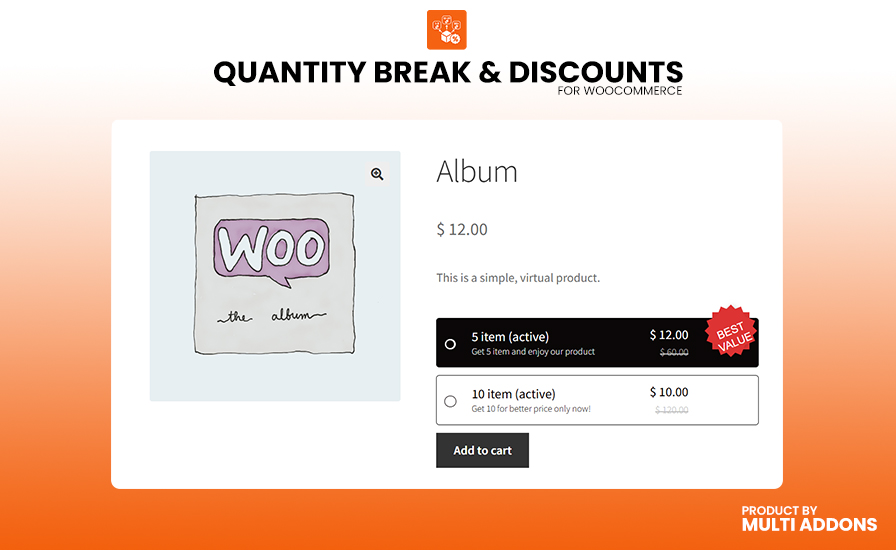
Replace the default WooCommerce quantity input with visually stunning, interactive pricing blocks that customers actually want to click. Each tier displays a custom label (e.g., “Buy 1”, “Buy 3”, “Buy 5”), a description (e.g., “Most Popular — Save 20%”), the discounted bundle price, and a crossed-out original price so shoppers instantly see exactly how much they save. The first tier is pre-selected with an active radio button, guiding customers toward a purchase decision the moment they land on your product page. This visual approach to quantity-based pricing has been proven to dramatically increase Average Order Value by making bulk buying feel like a no-brainer.

WooCommerce product page displaying dynamic tiered pricing blocks with quantity-based bulk discounts and strikethrough original prices
WooCommerce variable product quantity break with individual attribute selection for each item in a bulk discount bundle

Full Variable Product Bundle Support

Unlike most quantity discount plugins that only work with Simple products, Quantity Break & Discounts gives you full support for WooCommerce Variable Products. When a customer selects a quantity tier on a variable product — for example, “Buy 3” — they are presented with individual attribute dropdown selectors for each unit in the bundle. This means a customer buying 3 t-shirts can choose a different size and color for each one, all within a single, seamless purchase flow. Variations are added to the cart via a secure, nonce-verified AJAX handler for a smooth, reload-free experience that keeps customers engaged and reduces drop-off.

Min/Max Quantity Selector

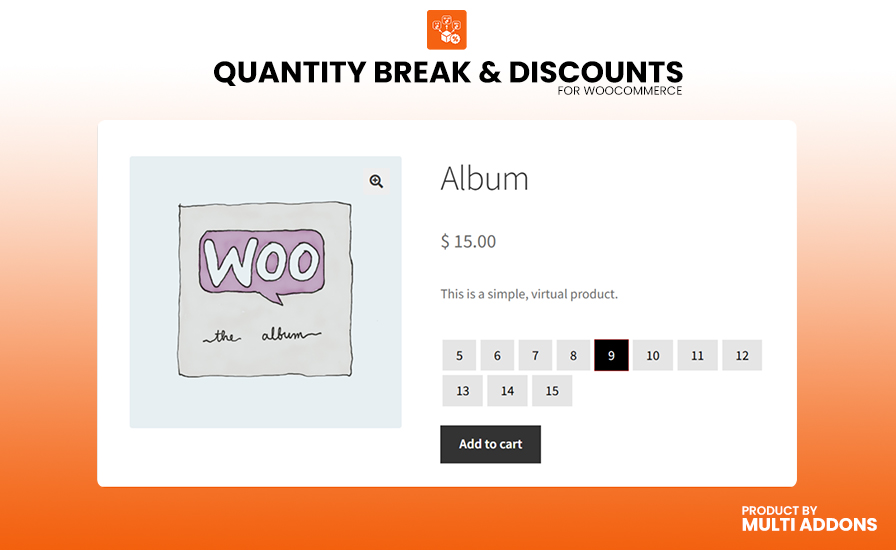
Give customers a fast, intuitive way to pick their exact quantity using a clean row of numbered buttons. Define a minimum and maximum value per product — for example, 1 through 10 — and the plugin generates a stylish button strip on the product page. The selected quantity highlights instantly with a customizable active state, while inactive and hover states maintain visual consistency with your store’s design. This approach is perfect for products where you want to enforce order limits or encourage specific purchase quantities without overwhelming the shopper with a full tiered pricing table.

Min-Max quantity selector buttons on a WooCommerce product page with active state highlighting for bulk order selection

Complete Design Customization

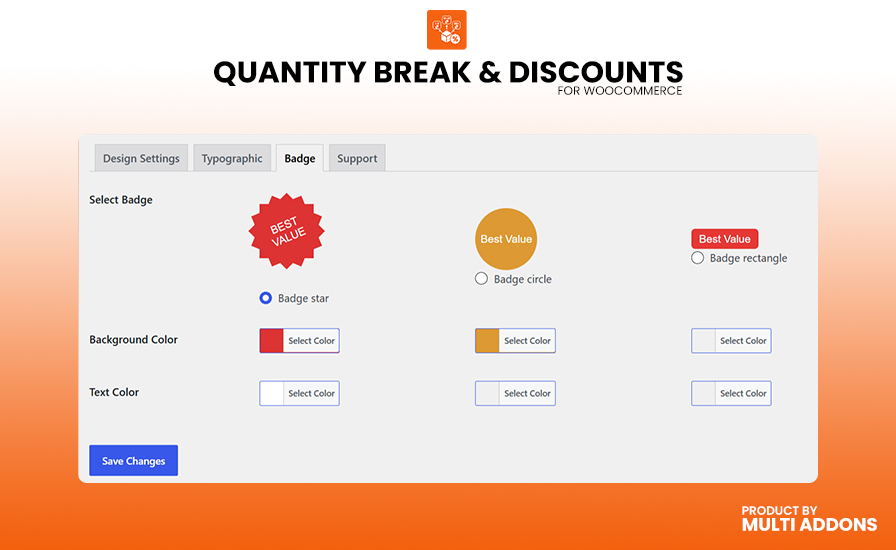
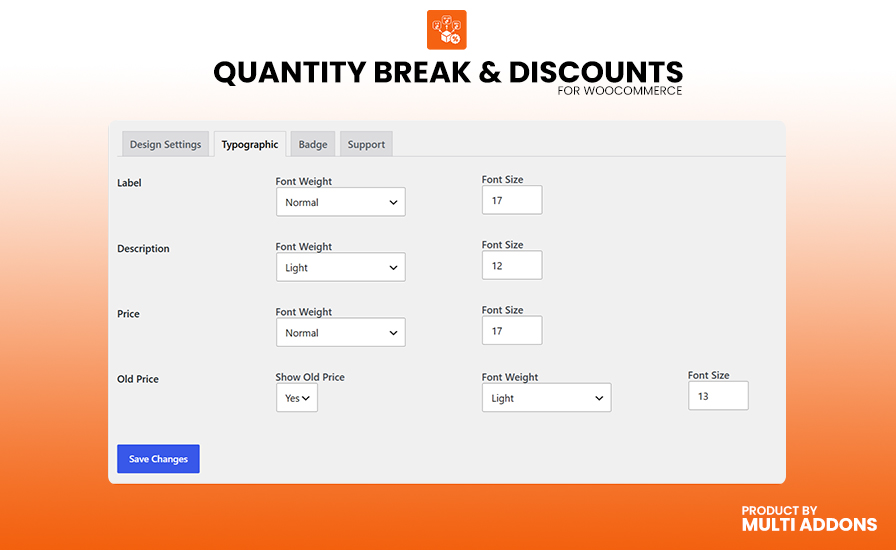
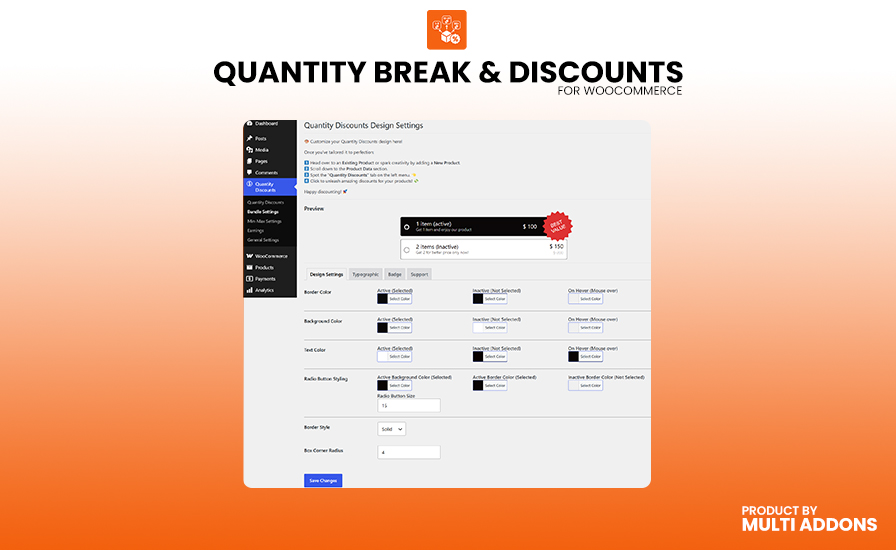
Every visual detail of your discount blocks and quantity buttons is fully customizable from a dedicated settings panel — no CSS knowledge required. Control border style (solid, dashed, dotted), corner radius, and independent color schemes for active, inactive, and hover states across backgrounds, borders, and text. Fine-tune radio button size, fill color, and border color for each state. Adjust font size and font weight separately for tier labels, descriptions, discounted prices, and strikethrough old prices. Choose from 3 promotional badge styles — Star, Circle, or Rectangle — each with independent text and background color controls. You can even toggle the strikethrough old price on or off globally with a single setting.

Quantity discount design settings panel in WordPress admin with color pickers, border styles, font controls, and live preview
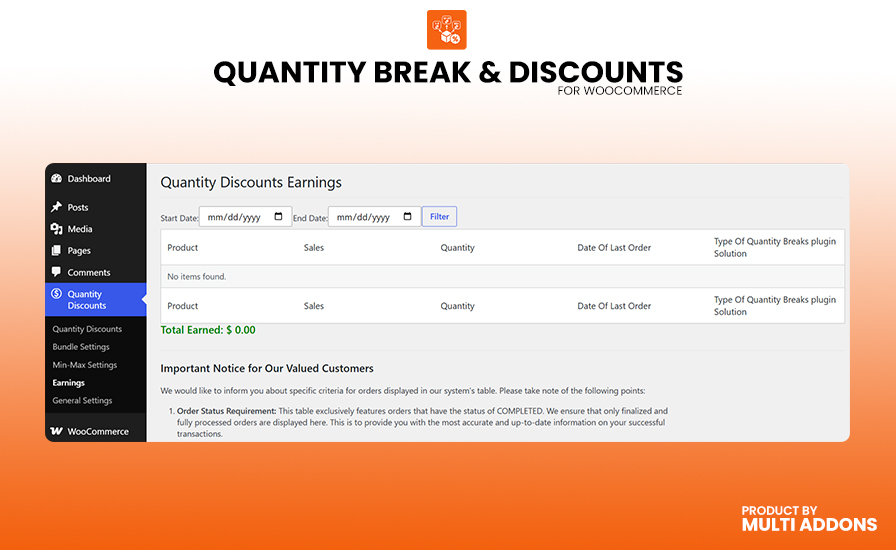
WooCommerce quantity discount earnings dashboard showing per-product sales revenue, quantities sold, and date range filters

Built-In Earnings Dashboard

Stop guessing and start measuring. The Earnings Dashboard gives you a clear, data-driven view of exactly how your quantity discount strategy is performing. See every product that has active quantity breaks, along with its total revenue generated, total units sold, last order date, and discount type (Quantity Bundle Blocks, Quantity Breaks Variables, or Min-Max Quantity). Filter results by order status (completed, processing, refunded, etc.) and narrow down by custom date ranges to analyze specific campaigns or seasonal promotions. This built-in analytics tool eliminates the need for third-party reporting plugins and gives you instant, actionable insight into which products and pricing tiers drive the most revenue.

Cart & Checkout Enforcement with HPOS Compatibility

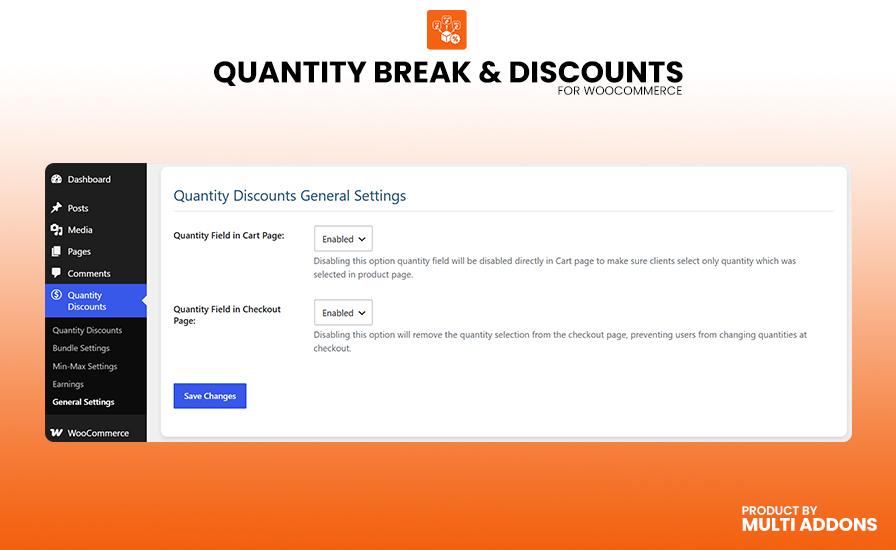
Lock in your pricing strategy from product page to checkout. Optionally disable the default WooCommerce quantity input field on the cart page, the checkout page, or both — ensuring customers cannot manually override the quantity tier they selected. The plugin automatically calculates the correct per-unit price from the tier total and applies it to each cart line item, so WooCommerce handles tax, shipping, and coupon calculations flawlessly. Built to perform on modern WooCommerce architectures, the plugin fully declares compatibility with High-Performance Order Storage (HPOS) and works seamlessly with all standard WooCommerce-compatible themes. Your store stays fast, secure, and conversion-optimized at every step of the buyer journey.

WooCommerce cart and checkout quantity field control settings with HPOS compatibility for enforcing bulk discount pricing tiers

Why People Love MultiAddons Plugin

Technical Compatibility

Frequently Asked Questions

How do I set up quantity-based bulk discounts in WooCommerce?

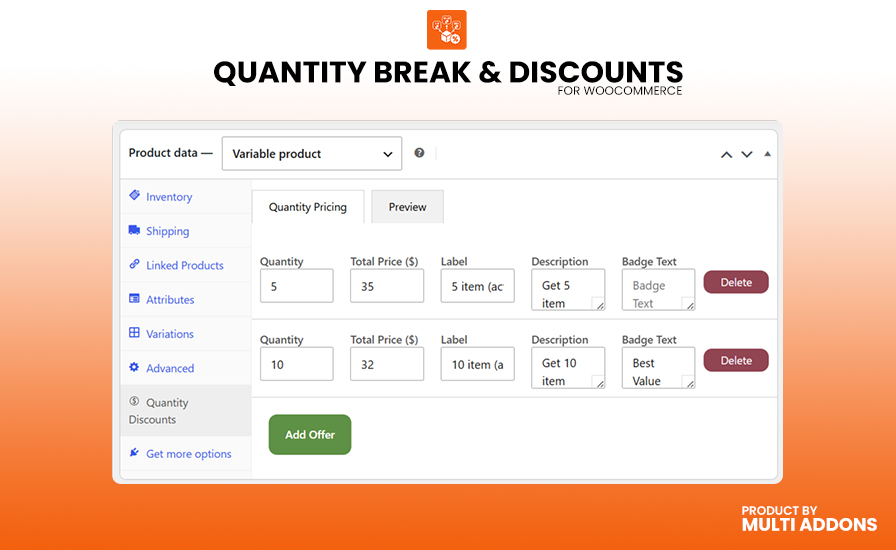
After installing and activating the Quantity Break & Discounts plugin, simply edit any WooCommerce product and open the Quantity Discounts tab. Click “Add Quantity Discount” to create your pricing tiers — enter the quantity (e.g., 3), the discounted bundle price, a label (e.g., “Buy 3 & Save”), and an optional description. Hit Publish, and your product page will instantly display beautiful, clickable pricing blocks that replace the default quantity input. No coding or shortcodes required — your tiered pricing is live in under a minute.

Yes — and this is what sets it apart from most competing plugins. When you enable quantity breaks on a Variable Product, customers who select a multi-unit tier (for example, “Buy 3”) are shown individual attribute dropdowns for each unit in their bundle. This means a customer buying 3 items can choose a different size, color, or any other variation for each one. All selected variations are added to the cart via a single, seamless AJAX request — no page reloads, no confusion, and no lost sales.

Absolutely. The plugin includes a dedicated Bundle Settings page with full visual customization — all without writing CSS. You can control border style (solid, dashed, dotted), corner radius, background colors, text colors, and border colors independently for active, inactive, and hover states. You can also adjust radio button size and colors, set font size and weight for tier labels, descriptions, prices, and strikethrough old prices, and choose from 3 promotional badge styles (Star, Circle, Rectangle) with custom colors. A built-in live preview shows your changes in real time before you publish.

Yes. Quantity Break & Discounts fully declares compatibility with WooCommerce High-Performance Order Storage (HPOS / Custom Order Tables), ensuring your store runs on the fastest, most modern WooCommerce architecture. The plugin is tested up to WooCommerce 11.0 and WordPress 6.8, uses standard WooCommerce hooks throughout, and works with any WooCommerce-compatible theme — including Storefront, Astra, Flatsome, Kadence, and all major page builders.

The plugin includes a built-in Earnings Dashboard accessible from the Quantity Discounts admin menu. It displays a detailed table of every product with active quantity breaks — showing the product name, total revenue generated, total units sold, last order date, and the type of discount applied (Quantity Bundle Blocks, Quantity Breaks Variables, or Min-Max Quantity). You can filter results by order status (completed, processing, refunded, etc.) and narrow down by custom date ranges to measure the impact of specific campaigns or seasonal promotions — all without needing a third-party analytics plugin.