

Salesforce Integration & AutoSync

Salesforce Integration & AutoSync for WooCommerce

SYNC PRODUCT CATALOGS, STREAMLINE CRM DATA & MAXIMIZE YOUR STORE'S EFFICIENCY

Take complete control of your e-commerce data with seamless WooCommerce to Salesforce CRM integration. Salesforce Integration & AutoSync for WooCommerce automatically keeps your product catalog fully synchronized by instantly transferring product data the moment it is created or updated, helping you maintain a reliable single source of truth with pinpoint accuracy.

Easily manage your data pipeline with a secure OAuth 2.0 connection that supports both sandbox and production environments. Whether you need to run a bulk export of existing products, seamlessly map your inventory to the native Salesforce Product2 object, or monitor operations through comprehensive sync activity logs, this powerful integration gives you complete visibility into exactly what data is moving between your platforms.

Engineered for top-tier performance on modern stores, this integration is fully compatible with WooCommerce HPOS. Maintain a flawless connection with real-time, automated updates and seamless API handling—giving you a secure, reliable way to manage your enterprise CRM data without writing a single line of custom code.

Marketplace Verified

Extension Partner

30-Day Money-Back Guarantee
Try Salesforce Integration & AutoSync risk-free. If the plugin isn’t the right fit for your WooCommerce store, you can request a refund within 30 days.

Choose Your WooCommerce Plan

Choose a Salesforce Integration & AutoSync license that fits your business. Get flexible pricing options for a single WooCommerce store, multiple websites, or unlimited sites.

1 Site License

$49/y

7-day Free Trial

Most Popular

3 Sites License

$98$79/y

7-day Free Trial

100 Sites License

$199$99/y

7-day Free Trial

Plugin ScreenShot

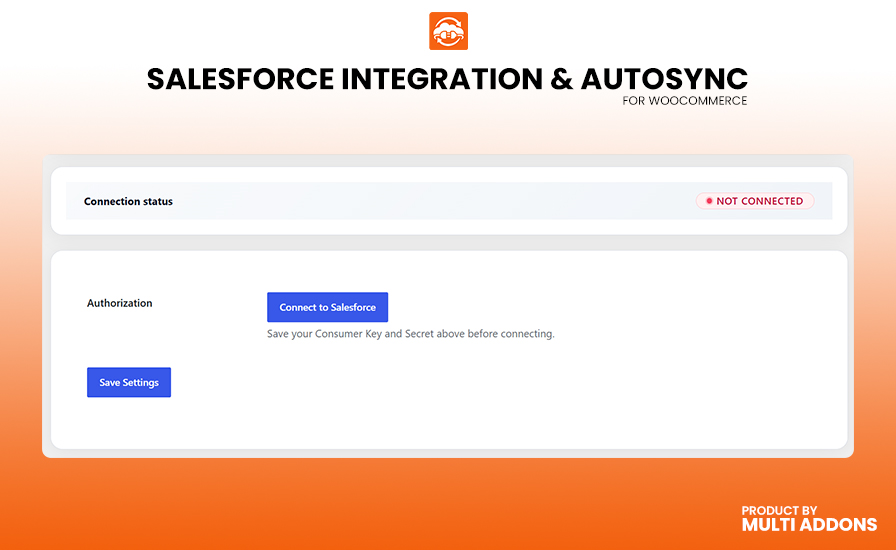
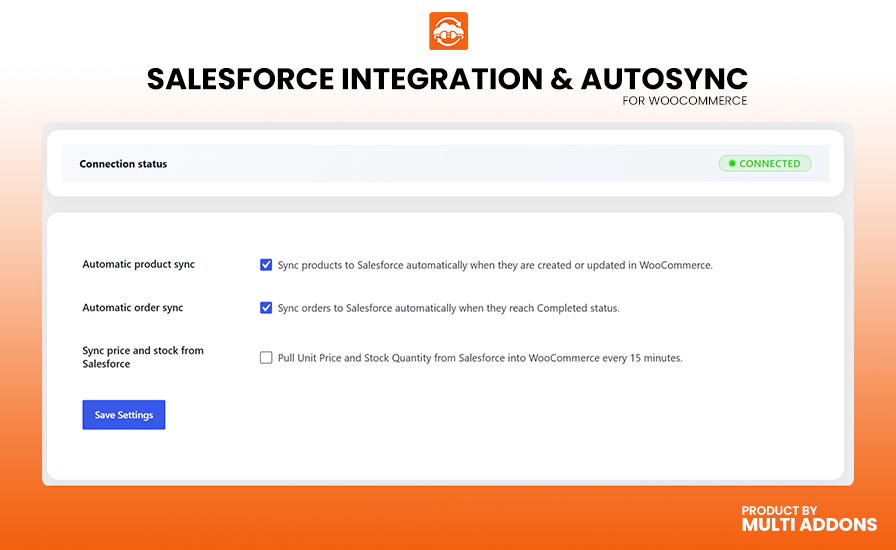
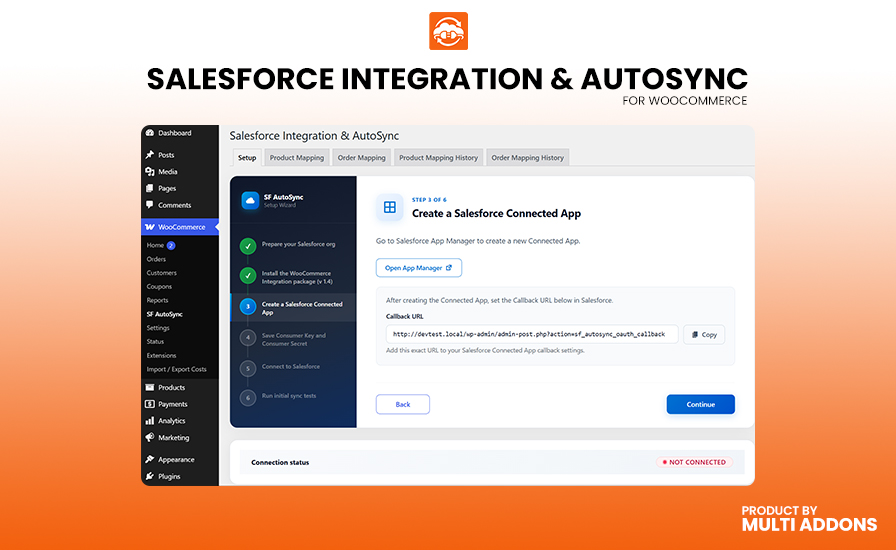
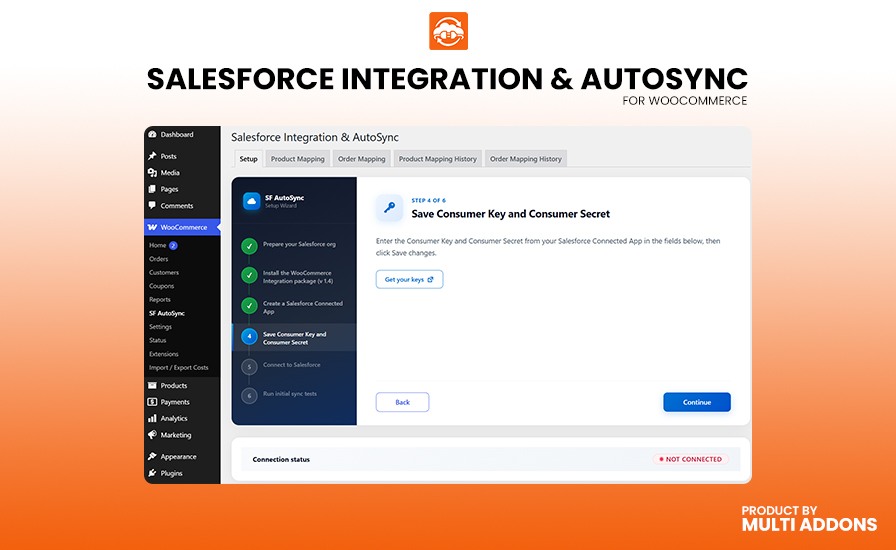
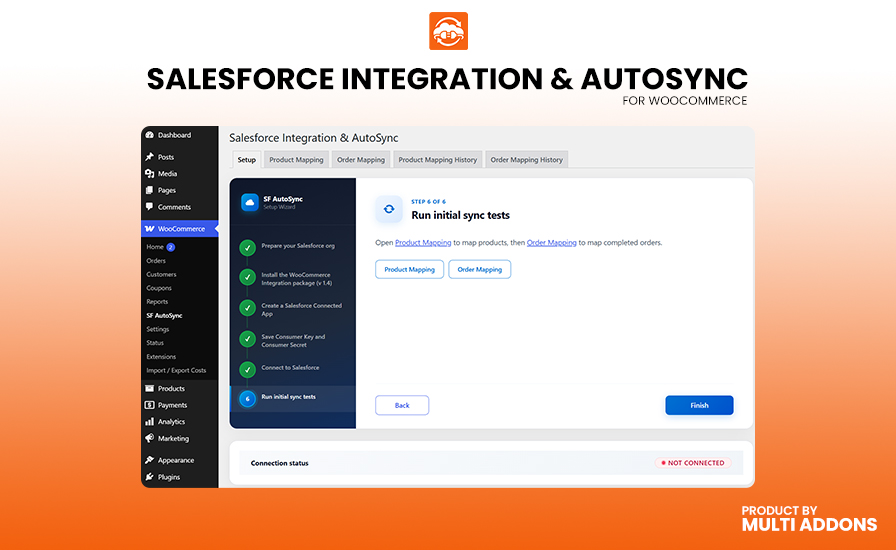
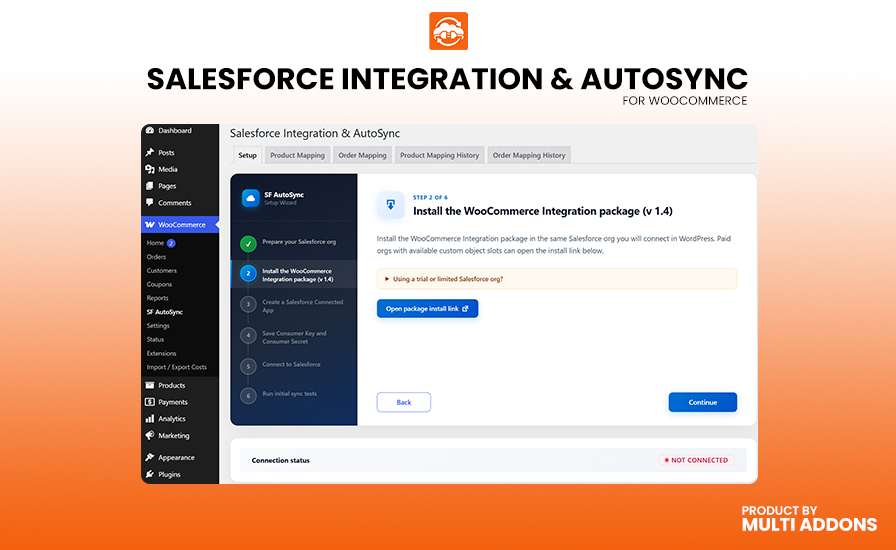
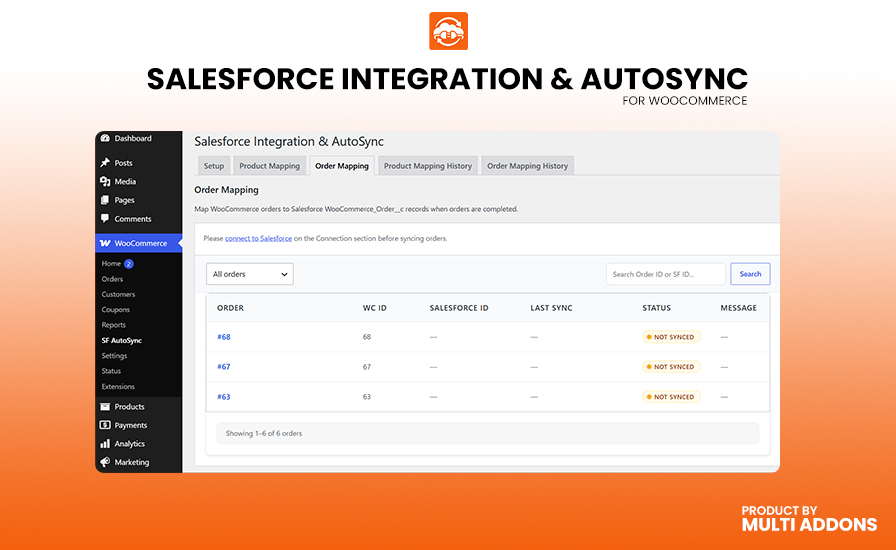
See how Salesforce Integration & AutoSync for WooCommerce makes it easy to connect your store to your CRM, automatically sync product catalogs in real-time, and securely map your inventory to the Salesforce Product2 object using OAuth 2.0 authentication.

Core Features & Capabilities

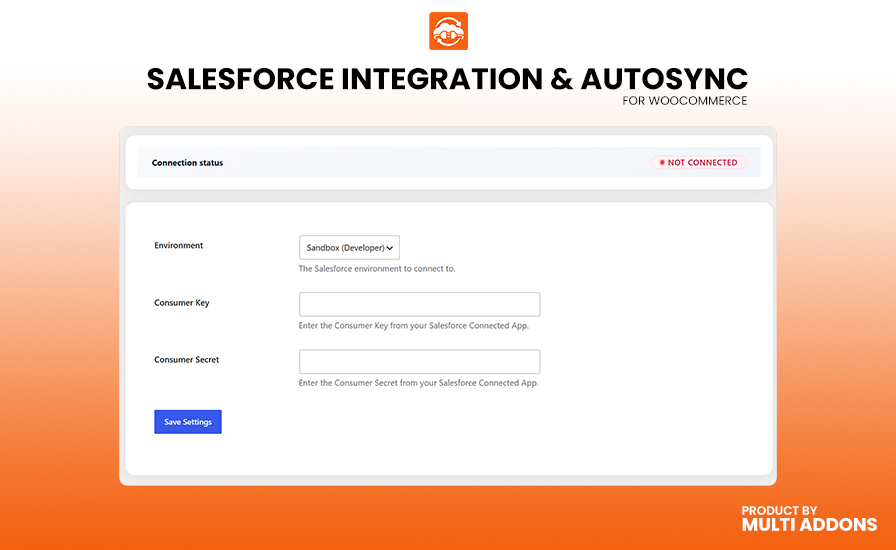
Secure OAuth 2.0 Authentication

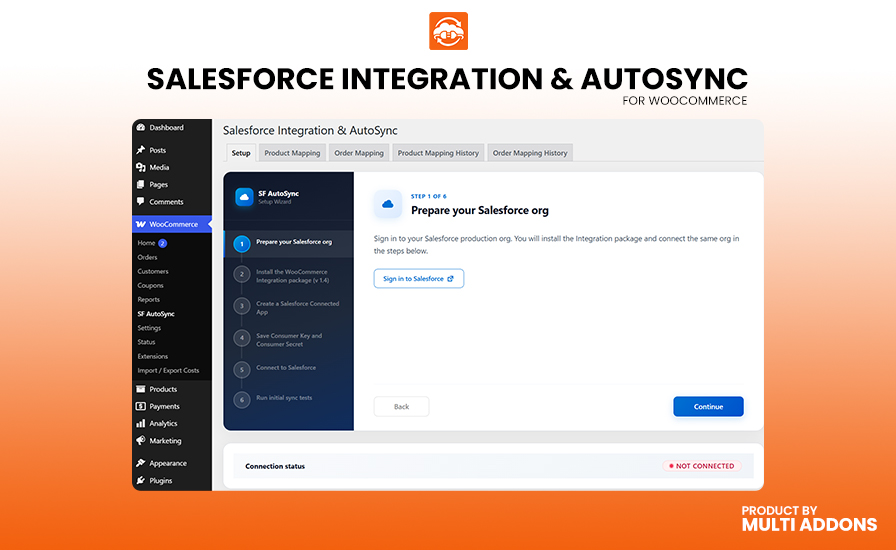
Easily connect your WooCommerce store to Salesforce CRM using industry-standard OAuth 2.0 authorization. No need to share or store plain-text passwords; simply configure your connected app settings to establish a secure, reliable, and persistent data tunnel between your platforms.

Secure OAuth 2.0 authentication setup for Salesforce CRM integration
Automatic Real-Time Product Sync

Automatic Real-Time Product Sync

Keep your CRM catalog perfectly up-to-date without lifting a finger. The moment a new product is created or an existing product is updated in WooCommerce, the plugin instantly pushes those changes to Salesforce, maintaining an accurate single source of truth for your business.

Native Salesforce Product2 Mapping

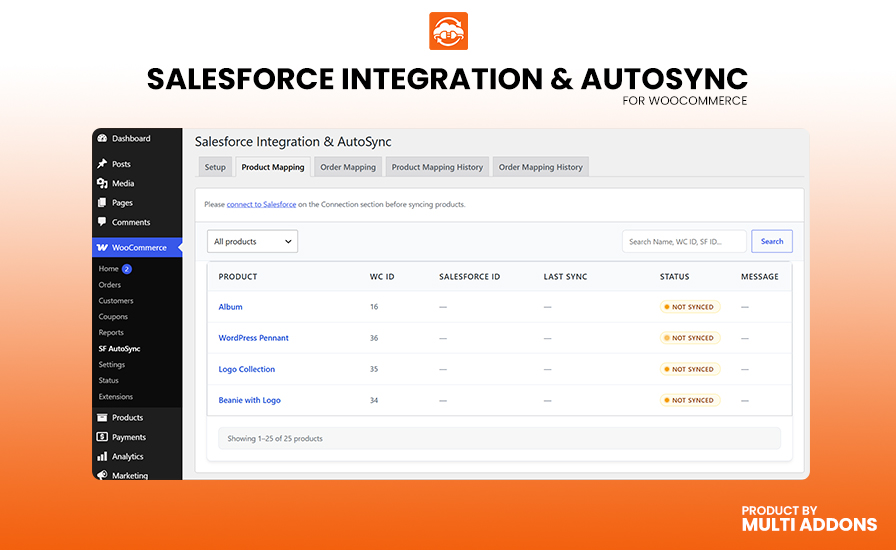
Ensure your data lands exactly where it belongs. The integration intelligently formats and maps your WooCommerce product details directly to the standard Salesforce CRM Product2 object, preserving critical identifiers like names, SKUs, and unique product IDs.

Updating WooCommerce product data and natively mapping to Salesforce Product2

Bulk Export Existing Catalogs

Migrating to Salesforce or just getting started? Effortlessly push your entire existing WooCommerce product catalog to Salesforce with a single click. The built-in bulk sync tool efficiently processes your historical data in batches without timing out your server.

Updating WooCommerce product data and natively mapping to Salesforce Product2
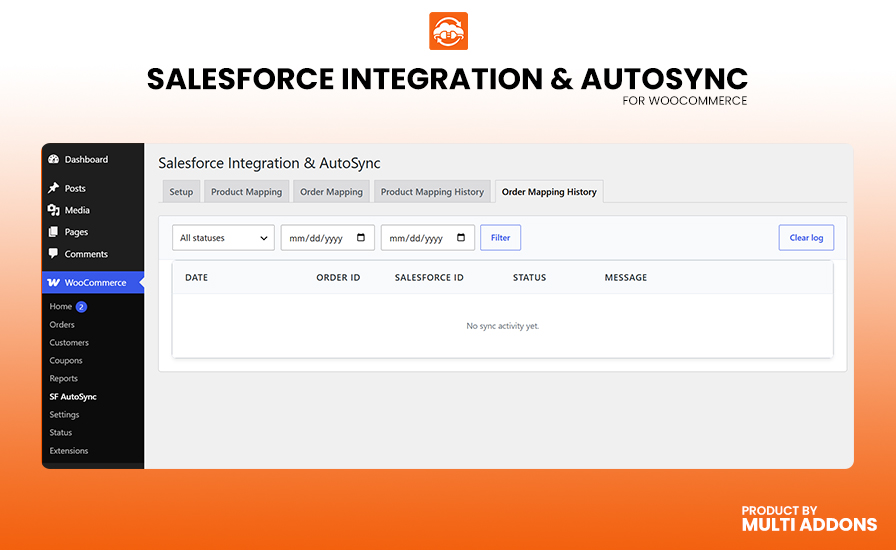
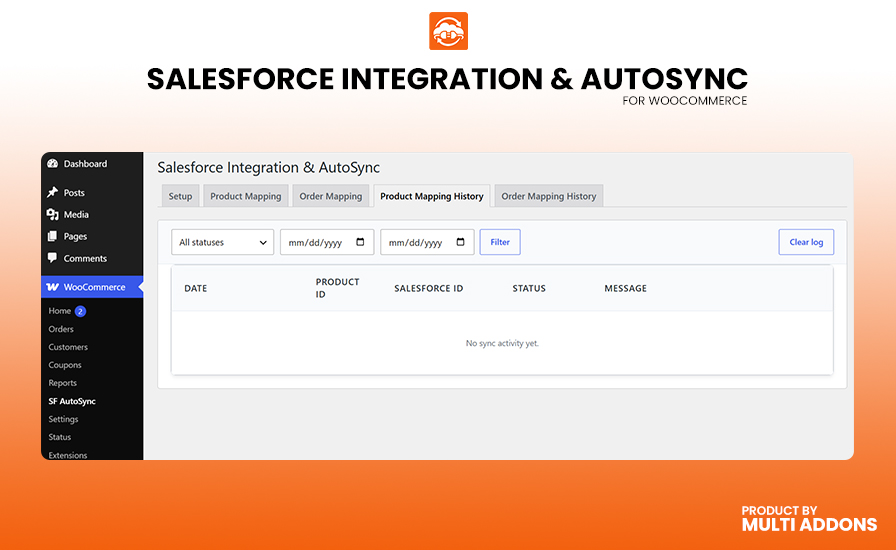
Comprehensive Sync Activity Logs

Comprehensive Sync Activity Logs

Never guess what data was transferred. The built-in sync activity log provides a clear, detailed history of every API request, success message, and rare error. Easily monitor background activities and audit your sync performance right from your WordPress dashboard.

Sandbox & Production Environments

Test your integrations safely before going live. The plugin allows you to seamlessly toggle between Salesforce Sandbox and Production environments. This gives you the freedom to build and verify your automated workflows without affecting your live enterprise data.

Sandbox & Production Environments
WooCommerce HPOS Compatible

WooCommerce HPOS Compatible

Engineered for scale and the future of e-commerce. The integration is fully tested and compatible with WooCommerce’s High-Performance Order Storage (HPOS) architecture, ensuring your data sync remains lightning-fast regardless of your store’s database structure.

Overview of effortless WooCommerce to Salesforce CRM product data integration

Seamless Background Processing

Maintain a blazing-fast user experience in your WordPress admin. Product sync operations are highly optimized to communicate efficiently with the Salesforce REST API, ensuring that product updates and background tasks never slow down your WooCommerce storefront.

Why People Love MultiAddons Plugin

Technical Compatibility

Frequently Asked Questions

Can I Sync Both Simple and Variable Products to Salesforce?

Yes. Salesforce Integration & AutoSync for WooCommerce fully supports data mapping for all standard WooCommerce product types. Whether you are managing simple items or complex variable products with dozens of variations, the plugin accurately transmits your catalog data and maps it perfectly to the native Salesforce Product2 standard object.

This ensures complete, flexible CRM inventory tracking across your entire WooCommerce product catalogue.

Yes. The plugin utilizes a smart event listener that automatically triggers an API sync the exact moment a product is published or updated in your WooCommerce store. This ensures that your Salesforce CRM inventory always reflects the most up-to-date e-commerce catalog data in real time.

You can also rely on this automated background process to keep both platforms securely linked without manual data entry.

Absolutely. The integration features a comprehensive built-in Sync Activity Log accessible directly from your WordPress dashboard. You can easily view detailed operational reports filtering both successful transfers and rare API errors.

Every log displays timestamps, WooCommerce product IDs, target Salesforce objects, and exact error responses—giving you complete transparency to troubleshoot and manage your data pipeline effortlessly.

Yes. Salesforce Integration & AutoSync for WooCommerce is built for modern enterprise stores and is fully compatible with WooCommerce High-Performance Order Storage (HPOS). The plugin architecture is highly optimized for scale and follows all current WooCommerce compatibility standards.

Key compatibility features: 
✅ Compatible with WooCommerce HPOS (High-Performance Order Storage)
✅ Secure OAuth 2.0 API Authentication integration
✅ Supports both Salesforce Sandbox and Production CRM environments
✅ Optimized background processing for zero impact on frontend site speed
✅ Tested with the latest WooCommerce and WordPress core releases

Yes. If you already have a large product catalog established before installing the plugin, you do not have to process products one by one. The plugin includes a dedicated Bulk Sync Interface under the Salesforce integration settings.

You can effortlessly push all of your existing WooCommerce products into your Salesforce CRM environment with a single click. The bulk exporter safely processes large historical datasets in background batches—saving hours of manual data entry while preventing server timeouts.