
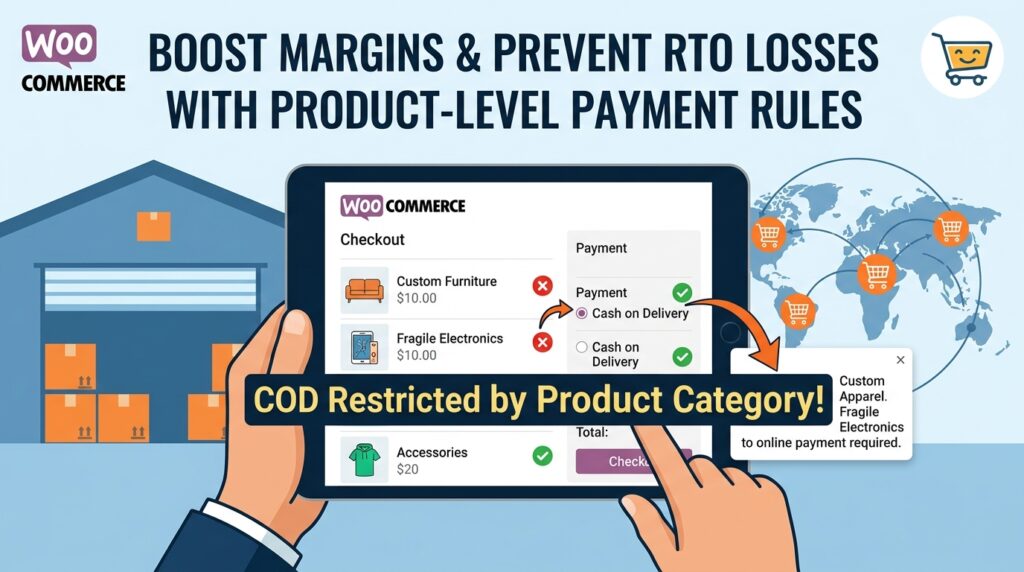
Offering Cash on Delivery (COD) helps e-commerce stores capture hesitant buyers and expand into new markets globally. However, applying a single cash payment policy across your entire catalog creates severe inventory bottlenecks and financial risk for certain product lines.
For example, allowing unconfirmed cash checkouts on high-margin apparel, perishable items, or heavy custom goods often leads to expensive refusal rates and tied-up stock.
Consequently, learning how to restrict COD by product category in WooCommerce allows you to enforce prepaid digital checkout specifically for high-risk or bulky inventory items.
Therefore, setting up category-level payment rules protects your operational margins and ensures flexible payment options remain active for low-risk stock.
In this guide, you will learn how product-level payment controls safeguard global inventory. Furthermore, discover how to configure category and tag restrictions using COD Guard.
Why Category-Based COD Restrictions Are Essential Worldwide
Treating custom, fragile, or high-value items the same as standard off-the-shelf inventory exposes your fulfillment pipeline to high cancellation costs. In contrast, requiring upfront digital payment on select categories ensures stock is allocated only to committed buyers.
In fact, implementing category-specific Cash on Delivery rules delivers three key operational advantages:
- Protect High-Value & Custom Goods: First, mandate prepaid card or wallet payments for made-to-order, personalized, or high-ticket product lines.
- Avoid Heavy Freight Return Costs: Second, disable cash options for oversized or heavy shipping items where return logistics fees destroy profit margins.
- Prevent Stock Lockups on Clearance SKUs: Third, clear out flash-sale or seasonal inventory faster by ensuring items go exclusively to prepaid orders.
How COD Guard Controls Category & Product Payment Rules
Configuring conditional payment gateway logic based on cart contents in native WooCommerce requires custom PHP code or complex snippet management. Fortunately, COD Guard for WooCommerce lets you build product-level rules through a straightforward admin dashboard.
Key Category Features in COD Guard:
- Category & Tag-Based Restrictions: First, select specific product categories or tags to disable or enable Cash on Delivery instantly across your store.
- Mixed-Cart Rule Handling: Second, choose whether to restrict cash payments if a single restricted item enters the cart or only when the entire cart consists of restricted items.
- Product-Level Overrides: Third, set granular payment rules on individual high-risk SKUs without altering parent category settings.
- Clear Checkout Banners: In addition, inform shoppers automatically at checkout when specific cart items require online digital payment.
- Global Currency & Location Layering: Finally, combine category restrictions with cart subtotals or customer order history for multi-layered risk protection.
3 Simple Steps to Restrict COD by Category Today
- Audit Catalog Risk Profiles: First, classify your products into low-risk standard items and high-risk categories (e.g., custom goods, heavy items, clearance).
- Set Up COD Guard Category Triggers: Next, select target categories in the plugin panel and apply your restriction conditions.
- Test Mixed-Cart Checkout Scenarios: Finally, test checkouts using combinations of standard and restricted items to confirm payment gateways update correctly.
Protect Your Catalog Margins Today
Stop letting unconfirmed cash orders lock up your highest-value inventory and drain freight margins. Instead, take control of your store checkouts and safeguard profit margins worldwide with COD Guard today.
Additionally, you can build a complete multi-layered verification strategy across all payment flows. For example, read our detailed WooCommerce COD verification complete guide to master phone validation, cart thresholds, and order history filtering globally.